

Alternatives to Putting Your Phone Number on a Pet Tag
What if someone who finds your pet could reach you without seeing your phone number? A visible number is easy to use, but it also shares personal information with anyone who reads the tag. Choosing an alternative to phone number on pet tag information means balancing privacy with a clear next step for the finder.
You don’t have to leave your pet without a way home. Contact options work differently, and some require more effort from the finder than others. A QR tag, for example, can let someone use a smartphone camera to send you a secure, anonymous text alert without downloading an app. A microchip offers another layer of identification, but it doesn’t provide the same direct contact route from an external tag.
This guide compares practical alternatives, explains what a finder needs to do with each one, and helps you choose an approach that fits your privacy preferences. You’ll also learn how Curb Samaritan People & Pet tags use QR codes to connect finders and owners without displaying your number in public.
Key Takeaways
- Weigh privacy against how easily a finder can use each alternative to a phone number on a pet tag.
- Compare alternate contact details, QR messaging, and microchip identification to see which options give a finder a direct way to reach you.
- Make the next step clear on the tag, so a finder knows whether to scan a code or use another contact method.
- Curb Samaritan People & Pet tags use a QR code to let finders send a secure, anonymous text alert without a mobile app.
Why look for an alternative to a phone number on a pet tag?
A pet tag has a simple job: help someone identify a pet and take the next step toward reaching the owner. A printed phone number makes that step familiar and direct, but it’s visible to anyone who sees the tag, not just someone who finds the pet. You may prefer to keep your personal number private while still giving a finder a clear way to get in touch.
The choice isn’t simply between printing a number and providing no help. It’s about separating identification from contact. A tag can identify your pet or explain how to reach you without displaying your personal digits. A microchip can also help identify a pet, but it isn’t a visible contact route. Someone generally needs a scanner to read its number, then must use that number to look up the owner’s details. The overview of Microchip implant (animal) explains the basic role of implanted chips.
Think about the moment a finder notices your pet’s tag. Can they tell what to do without guessing, searching for instructions, or needing information only you have? A useful alternative makes the next action plain. When weighing digital tag options, consider how ongoing access works, as explained in this guide to smart pet ID tag lifetime access.
What makes a phone number on a pet tag feel too public?
A phone number can be read, copied, or photographed by anyone who gets close enough to the tag. That doesn’t mean misuse is likely; it simply means the information is openly displayed. Owners value a number because it’s easy to understand: a finder can call or text without learning a new process. The decision is a balance between limiting public visibility and keeping contact straightforward.
What should an alternative still make easy for a finder?
A finder may be worried about the pet and looking for quick instructions, so the contact route should be obvious and easy to follow. Consider whether a stranger can use it with what they already have, or whether it requires an app, account, or extra explanation. If the action isn’t clear from the tag, a finder may not know how to reach you. Keep the instruction short and readable.
The goal is contact without displaying personal digits. Choose a method that respects your privacy while giving a finder a clear next step. A good alternative answers two questions at a glance: how can I contact the owner, and what should I do now? Clear directions help a stranger turn concern into a useful message.
What are the main alternatives to a phone number on a pet tag?
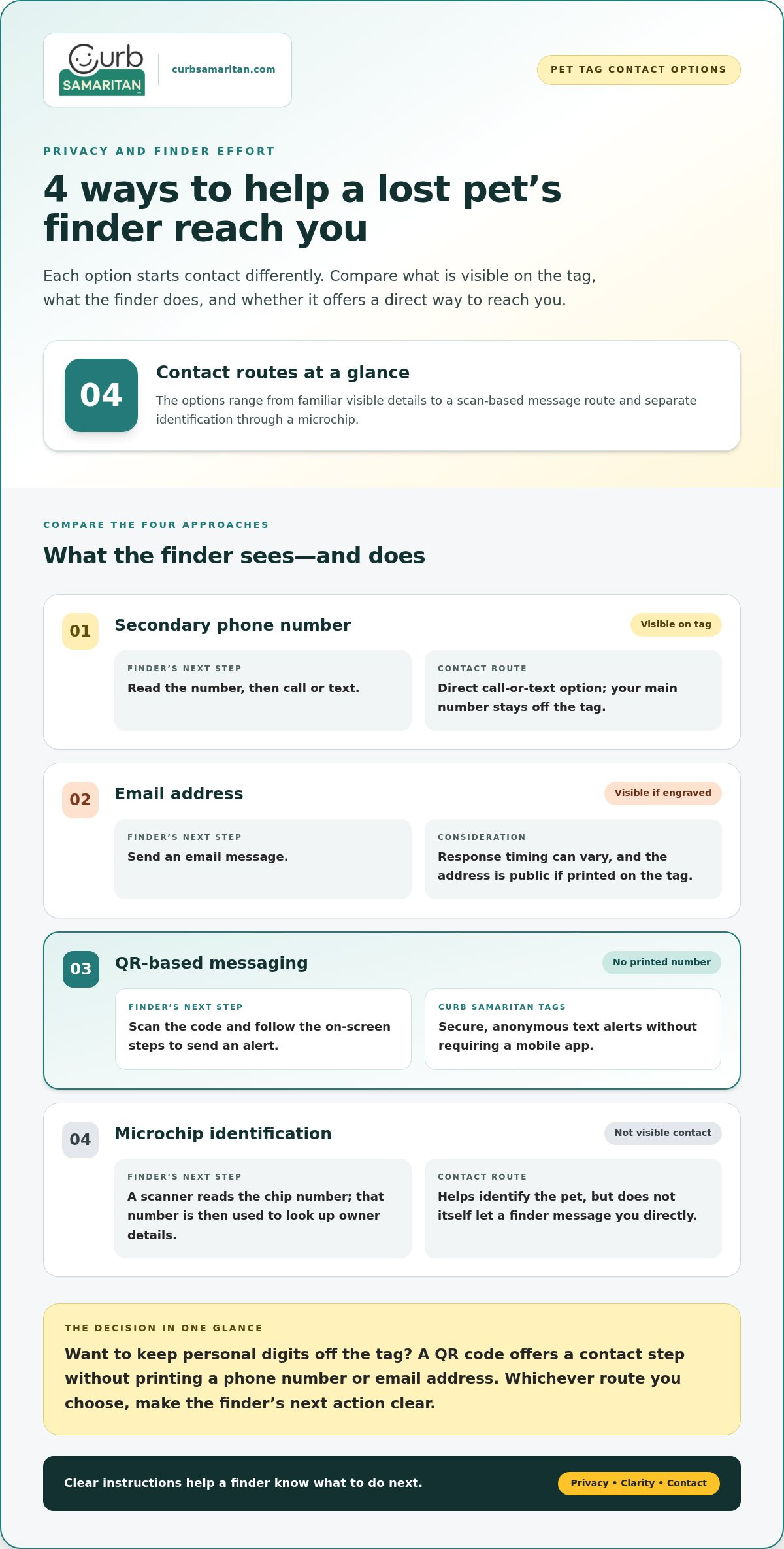
There isn’t one contact method that suits every owner or finder. The main alternatives start the conversation in different ways: some display another contact detail, some ask the finder to scan a code, and one identifies the pet without displaying contact information on the tag.
- Alternate phone contact: Put a secondary number on the tag instead of your primary one. A finder can call or text it, but the number remains publicly visible.
- Email address: Give the finder an email route. It avoids calls and texts, but the address is still visible if engraved, and response timing can vary.
- QR-based messaging: A finder scans the tag’s code and follows the contact steps. With Curb Samaritan People & Pet tags, the finder can send an alert without the tag displaying your personal number or requiring a mobile app.
- Microchip identification: A microchip can help identify a pet, but it isn’t a visible contact method on the tag. It works separately from an external tag and doesn’t itself give a finder a direct way to message you.
These approaches differ in what a passerby can see, what they need to do, and how the conversation begins. None ensures that a finder will take the next step, so clear tag instructions still matter.
Can a secondary phone number or email address work?
A secondary number keeps your main number off the tag while preserving a familiar call-or-text option. Email offers another route, though a finder needs to send a message and you’ll need to check the inbox. Both choices trade some privacy for a straightforward contact detail: if either is engraved, anyone who sees the tag can read it.
How does a QR pet tag offer another contact route?
A QR tag replaces visible contact details with a code. The finder scans it, then follows the on-screen steps to send an alert to the owner. Curb Samaritan People & Pet tags use a messaging platform for secure, anonymous text alerts without requiring a mobile app. The finder still needs to notice and use the code, so a short instruction can make the action clearer. This guide to no-app QR code contact stickers explains the same basic scan-and-contact idea.
For an owner who wants a contact route without printing personal digits, QR messaging offers a practical middle ground: the finder has a clear action, while the tag doesn’t expose a phone number or email address. Learn more about Curb Samaritan People & Pet tags.
How do pet tag contact alternatives compare on privacy and ease?
The best fit depends on what you want to keep private and what feels simple for a stranger to use. A tag may offer a direct contact route, while another identification method may only help establish who the pet is. This comparison shows how the options differ in privacy and finder effort.
| Option | Public visibility | Finder action | Does it provide a contact route? |
|---|---|---|---|
| Phone number | The number is readable on the tag. | Read it, then call or text. | Yes, directly. |
| Alternate contact detail, such as another number or email | The detail is readable if engraved. | Call, text, or send an email. | Yes, through the displayed detail. |
| QR messaging | The code is visible, but a phone number doesn’t need to be printed. | Scan the code and follow its contact steps. | Yes, if the finder scans and completes the steps. |
| Microchip identification | The chip isn’t publicly readable from the tag. | Have the chip scanned and use its identification information to look up the owner. | No, not by itself. It supports identification rather than direct contact from the tag. |
That last distinction matters. A microchip can help identify a pet, but it doesn’t work like a phone number engraved on a tag. QR messaging offers a contact path through a code, but the finder must choose to scan it. No option can ensure that every finder will act.
Which contact methods keep details visible on the tag?
An engraved phone number or email address is readable to anyone who sees the tag. A QR code can avoid printing those details, but the code itself remains visible and leads to a contact process. It changes what’s displayed; it doesn’t remove every privacy consideration. Choose based on what you’re comfortable showing in public.
What effort does each option ask of a finder?
With a visible number, a finder can read and call or text. Email requires them to open an email service and compose a message. QR contact asks them to scan and send an alert, and depends on their device and willingness to follow through. A microchip requires scanning and a separate lookup, rather than a quick call from the tag.
Visible details make contact familiar; scan-based contact keeps personal digits off the tag but asks the finder to take an extra step. Make that trade-off clear with a short instruction that helps a stranger know what to do.
How can you choose and set up a phone-number alternative?
Start with your privacy preference, then match it to a contact route a finder can understand. Decide what information stays off the tag, choose how a finder can reach you, and make the next action easy to spot. The right alternative is one you’re comfortable using and prepared to respond to.
- Decide what should stay private. Choose whether your primary number, a secondary number, or your email address can be displayed publicly. If you’d rather show none of them, use a method that directs the finder to another contact step.
- Choose a route you can respond to. Think about whether you’d rather receive a call, an email, or an alert through a QR-based contact method. Pick a route you can check and use, not just one that looks private on the tag.
- Make the instruction obvious. Use a few plain words to tell a finder exactly what to do. For example: “Scan to contact owner” or “Please call my owner.”
How do you decide which contact details to keep private?
Consider how you’d feel about a stranger reading your primary number, an alternate number, or an email address from the tag. You might be comfortable displaying a secondary contact, or prefer to keep all personal details out of view. Let that comfort level guide your choice. Keep the essential instruction short enough to understand at a glance, especially if the tag has limited room.
How can you make the contact instruction easy to follow?
Name the action instead of using vague wording such as “Help” or “Contact me.” “Scan to send an alert” gives a finder a clearer next step. Check that engraved words are legible and that a QR code can be scanned. If your chosen route uses a code, scan it yourself and complete the contact steps so you know what a finder will encounter.
Review contact details periodically, particularly after changing a phone number or email address. If the route uses QR messaging, test the process and make sure you can receive its alert. Explain who checks incoming messages and how they’ll respond, so everyone in your household is ready to help if a finder gets in touch.
For broader considerations around choosing a tag and understanding ongoing access, this privacy-first smart pet ID guide can help you think through what fits your needs.
See how Curb Samaritan People & Pet tags provide a tag-based contact route without printing your number.
How Curb Samaritan People & Pet tags enable contact without a printed number
A QR tag offers a different way to start a conversation: instead of printing your phone number, it gives a finder a code to scan. Curb Samaritan People & Pet tags use this approach to help connect the person who finds a pet with its owner. It provides a contact option, but can’t ensure that every finder will scan the tag or that a pet will be returned.
What happens when someone scans a Curb Samaritan People & Pet tag?
The finder scans the QR code and uses the messaging platform to send the owner a text alert. They don’t need to install a mobile app, and the platform supports secure, anonymous messaging without requiring the finder to share personal information. The process gives a finder a clear action to take while keeping your phone number off the visible tag.
Simple instructions make the next step clearer. A brief phrase such as “Scan to alert owner” tells a stranger what the code is for. The finder still needs to notice the instruction, scan the code, and choose to send an alert. The tag provides a route for contact, not a guarantee that contact will happen.
Why consider a tag with lifetime messaging access?
The purchase includes lifetime access to the messaging platform, without recurring subscription fees. That means the contact method isn’t tied to an ongoing subscription payment. As with any contact route, review your information periodically and make sure you know how an incoming alert will reach you.
Explain the tag’s purpose to anyone in your household who may help care for your pet or respond to a message. Agree on who will check for an alert and what information to share in a reply. A little preparation can help a finder’s message reach someone ready to respond.
For owners looking for an alternative to phone number on pet tag engraving, a QR-based option keeps personal digits off public display while giving a finder a practical next step. It creates a path for a secure, anonymous message, though the finder still needs to use the code. Clear instructions help.
Explore Curb Samaritan People & Pet tags to connect finders and owners without printing a phone number on the tag.
Choose a contact plan that feels right for your pet
Your pet’s identification plan can reflect how you want to share information, not just the details that fit on a tag. Choose a contact approach you’re comfortable keeping in place, then discuss it with anyone who helps care for your pet. A shared plan makes it easier for your household to respond if a finder reaches out.
The right alternative to phone number on pet tag information respects your privacy and feels manageable in everyday life. You can revisit your choice as your contact preferences change. What matters is giving a helpful stranger a clear step toward reconnecting you and your pet.
Explore Curb Samaritan People & Pet tags for a QR-based way to connect finders and owners without displaying your phone number.
Frequently Asked Questions
Is an email address safer than a phone number on a pet tag?
An email address keeps your phone number off the tag, but it’s still public if engraved. It also changes the conversation: a finder sends an email instead of calling or texting, and you may not see it right away. Consider which detail you’re comfortable making visible and how you prefer to be contacted. If you choose email, use an address you check and can recognize as a message about your pet.
Can I use a microchip instead of putting contact information on my pet’s tag?
A microchip can help identify your pet, but it doesn’t give someone looking at the collar a direct way to contact you. It serves a different purpose from an external tag. If you rely on a microchip for identification, keep its registration details current. For a finder with your pet, include a clear contact instruction or another practical route on the tag itself.
What happens if a finder does not scan a QR pet tag?
If a finder doesn’t scan the code, the QR-based contact route won’t be used in that interaction. A short instruction such as “Scan to contact owner” can explain the code, but it can’t make someone scan it. Consider what other information you’re comfortable displaying, such as your pet’s name or an alternate contact detail, and make sure any instructions are easy to read.
Can a QR pet tag work without a special app?
QR tags don’t all work the same way; it depends on the tag’s messaging service. With Curb Samaritan People & Pet tags, a finder can scan the code and send an alert through the messaging platform without installing a mobile app. The QR code starts the contact process, and the platform provides the route for sending the alert. Clear instructions help the finder understand what to do after scanning.
Should I put my pet’s name on a tag if I leave off my phone number?
You can include your pet’s name if you’re comfortable sharing it, but a name alone doesn’t tell a finder how to reach you. Pair it with a clear instruction or contact method. For example, a tag could identify your pet and tell the finder to scan a code or use an alternate contact detail. Check that the text is readable and the instruction makes sense without extra explanation.
How can a finder contact me if my pet is found far from home?
Choose a contact route that doesn’t depend on the finder knowing you or where you live. A QR-based alert is one option: if the finder scans the tag and sends an alert, the message can reach you through the platform. Keep the instruction understandable to someone unfamiliar with your pet, and make sure you can access the contact route you’ve chosen.